
If you’ve researched business phone systems, you’ve probably seen FreePBX mentioned. It’s the world’s most widely deployed open-source PBX platform, built on Asterisk and maintained by Sangoma. Here’s what that means for a small or mid-size business, and whether a FreePBX full telephony system is right for you.

What “full telephony” really means
A full telephony system does everything a traditional office phone system did, and a lot more:
- Extensions, call transfer, hold, park and pickup
- Auto attendants (IVR), ring groups and call queues
- Voicemail-to-email, call recording and conference bridges
- Time-of-day routing for holidays and after-hours
- Mobile and desktop softphones for remote staff
- SIP trunking to connect to the phone network

“Free” software, professional hardware
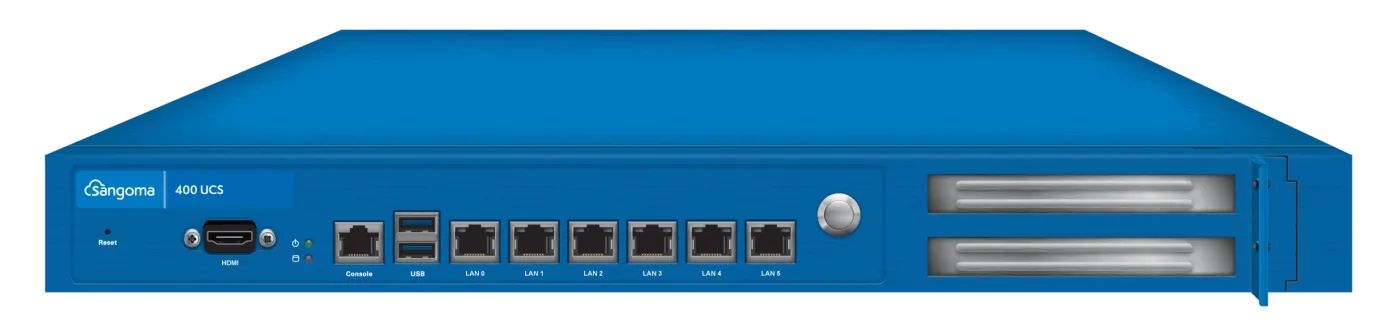
The FreePBX software is free to use, but running it reliably takes the right hardware and setup. That’s where Sangoma full service appliances come in. FreePBX and PBXact appliances are purpose-built servers from the company that develops FreePBX. They’re sized by user count, pre-loaded and supported, so you get open-source flexibility without building a server yourself.
- FreePBX 40: small offices up to about 40 users
- FreePBX 100: growing companies up to about 100 users
- FreePBX 400 and 1200: multi-site and enterprise deployments
- PBXact: Sangoma’s commercial edition, with more features licensed out of the box

On-premise FreePBX vs. hosted VoIP
Hosted VoIP is quick to start, but you pay per user every month and depend on the provider’s feature set. An on-premise FreePBX appliance costs more up front. After that you pay only for lines (SIP channels) and numbers, keep full control of your call data, and can customise call flows freely. For most businesses with 10 or more users that plan to stay put for a few years, owning the system costs significantly less over time.
The digital phone systems equipment checklist
- The PBX appliance, sized for your user count
- IP desk phones, such as Yealink, Sangoma, Poly or Grandstream
- A PoE switch to power and connect phones over one cable
- SIP trunk channels and phone numbers
- Cabling, patch panel and rack to keep it tidy and serviceable
We supply every piece of that digital phone systems equipment list, pre-configured to work together. Choose your system by team size or get a free recommendation.