Free U.S. shipping on every order · Setup help included · Toll free 1-866-294-8289 · sales@b2btelecommunications.com

My account · Support

Category: Phone Systems

Guides to choosing and deploying Sangoma, PBXact and FreePBX phone system appliances.

  • FreePBX Full Telephony Systems Explained: Sangoma Full Service Hardware vs. Hosted VoIP

    FreePBX Full Telephony Systems Explained: Sangoma Full Service Hardware vs. Hosted VoIP

    If you’ve researched business phone systems, you’ve probably seen FreePBX mentioned. It’s the world’s most widely deployed open-source PBX platform, built on Asterisk and maintained by Sangoma. Here’s what that means for a small or mid-size business, and whether a FreePBX full telephony system is right for you.

    FreePBX 1200 Appliance
    Shop: FreePBX 1200 Appliance

    What “full telephony” really means

    A full telephony system does everything a traditional office phone system did, and a lot more:

    • Extensions, call transfer, hold, park and pickup
    • Auto attendants (IVR), ring groups and call queues
    • Voicemail-to-email, call recording and conference bridges
    • Time-of-day routing for holidays and after-hours
    • Mobile and desktop softphones for remote staff
    • SIP trunking to connect to the phone network
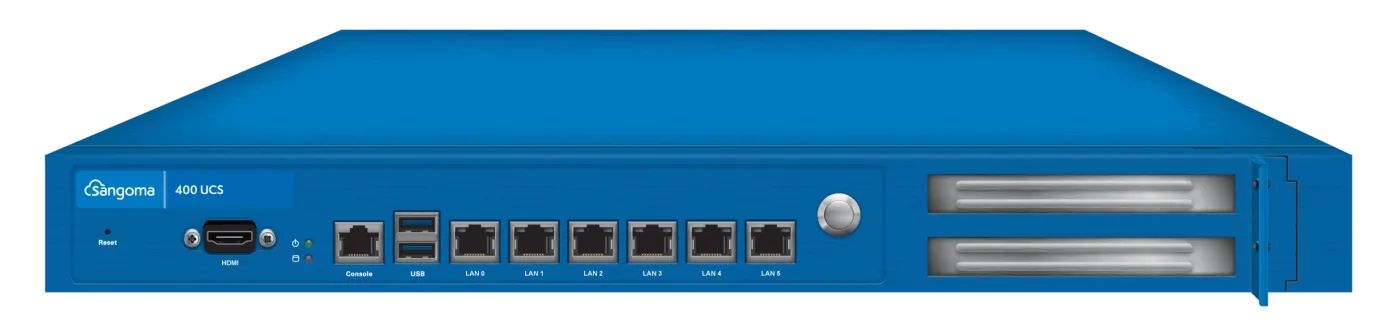
    FreePBX 400 Appliance
    Shop: FreePBX 400 Appliance

    “Free” software, professional hardware

    The FreePBX software is free to use, but running it reliably takes the right hardware and setup. That’s where Sangoma full service appliances come in. FreePBX and PBXact appliances are purpose-built servers from the company that develops FreePBX. They’re sized by user count, pre-loaded and supported, so you get open-source flexibility without building a server yourself.

    • FreePBX 40: small offices up to about 40 users
    • FreePBX 100: growing companies up to about 100 users
    • FreePBX 400 and 1200: multi-site and enterprise deployments
    • PBXact: Sangoma’s commercial edition, with more features licensed out of the box
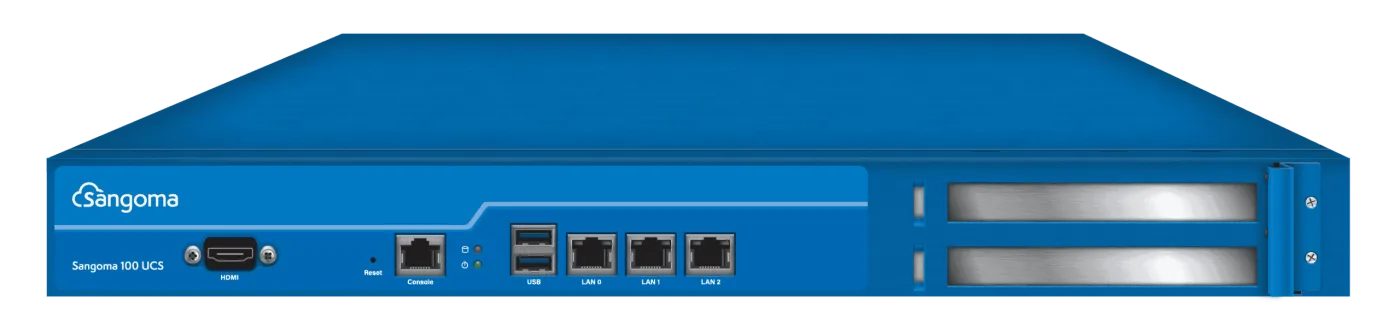
    FreePBX 100 Appliance
    Shop: FreePBX 100 Appliance

    On-premise FreePBX vs. hosted VoIP

    Hosted VoIP is quick to start, but you pay per user every month and depend on the provider’s feature set. An on-premise FreePBX appliance costs more up front. After that you pay only for lines (SIP channels) and numbers, keep full control of your call data, and can customise call flows freely. For most businesses with 10 or more users that plan to stay put for a few years, owning the system costs significantly less over time.

    The digital phone systems equipment checklist

    • The PBX appliance, sized for your user count
    • IP desk phones, such as Yealink, Sangoma, Poly or Grandstream
    • A PoE switch to power and connect phones over one cable
    • SIP trunk channels and phone numbers
    • Cabling, patch panel and rack to keep it tidy and serviceable

    We supply every piece of that digital phone systems equipment list, pre-configured to work together. Choose your system by team size or get a free recommendation.
  • Affordable Business Phone Systems for Startups: Why a One-Stop Telecommunications Shop Saves You Money

    Affordable Business Phone Systems for Startups: Why a One-Stop Telecommunications Shop Saves You Money

    When you’re launching a new business, the phone system is easy to put off. Most founders start with their mobile number, then scramble when the team grows, customers want a main line, and calls start going to personal voicemail. The good news: a professional, low cost business phone service is far more affordable than it was even five years ago, especially if you buy it the right way.

    Local Business Phone Number (DID)
    Shop: Local Business Phone Number (DID)

    What a startup actually needs from a phone system

    • A main number customers trust: a local number in your area code or a toll-free line.
    • An auto attendant (“Press 1 for sales, 2 for support”) so a three-person company sounds established.
    • Voicemail-to-email, so no message gets missed when you’re on the road.
    • Desk phones and a mobile app, so staff can answer from the office or from home.
    • Room to grow without replacing everything when you hire your tenth employee.
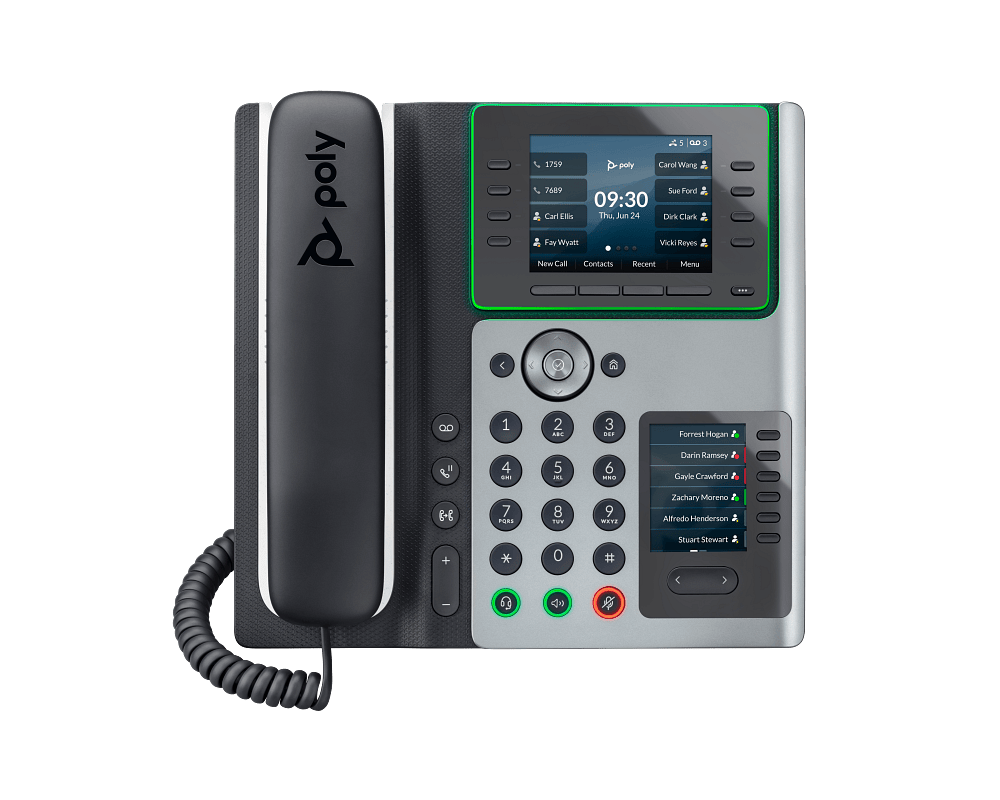
    Poly Edge E450 IP Phone
    Shop: Poly Edge E450 IP Phone

    Own your system instead of renting it

    Hosted phone services charge per user, per month, forever. Ten users at $25–$35 each adds up to $3,000–$4,200 a year, and it rises with every hire. An on-premise appliance like the Sangoma PBXact 25 is a one-time purchase. Add affordable SIP trunk channels for your lines, and many startups break even in the first year.

    Why a VoIP phone system and software bundle beats piecing it together

    Buying a PBX from one place, phones from another and lines from a third creates finger-pointing when something doesn’t work. A VoIP phone system and software bundle from a single business phone service provider means:

    • Phones are tested with your PBX before they ship, so they register on day one.
    • Your SIP trunk is pre-configured on the appliance.
    • One support team owns the whole call path: system, phones, lines and numbers.
    • One invoice, with published prices and no surprise “integration” fees.
    FreePBX 1200 Appliance
    Shop: FreePBX 1200 Appliance

    A realistic starter budget

    A typical five-person startup can launch with a PBXact 25 appliance, five Yealink or Sangoma desk phones, a PoE switch to power them, two unlimited SIP channels and a local number. After the hardware, the monthly running cost is usually around $60. Compare that with $125–$175 a month for the same team on a hosted plan. Complete systems are configured to your spec and ship in 7–14 days.

    Start small, scale without starting over

    The best part of owning your system is how simply it grows. Add a phone, add an extension, add a channel when call volume rises. When you outgrow a desktop appliance, the same FreePBX-based configuration moves to a larger rack-mount model.

    B2B Telecommunications is a one-stop telecommunications shop for growing businesses: phone systems, desk phones, SIP trunking, numbers and the installer tools to tie it together. Find the right system for your team size, or ask us to spec it for free.

  • How to Choose the Right FreePBX Appliance for Your Business

    How to Choose the Right FreePBX Appliance for Your Business

    Picking a PBX appliance is one of those decisions that’s easy to get wrong in either direction. Buy too small and you’re replacing hardware in eighteen months when the sales team doubles. Buy too large and you’ve sunk capital into channel capacity and extension licensing you’ll never use. The good news is that sizing a Sangoma PBXact or FreePBX appliance correctly isn’t complicated once you know which numbers actually matter.

    FreePBX 1200 Appliance
    Shop: FreePBX 1200 Appliance

    Start With Concurrent Calls, Not Employee Count

    The number that determines which appliance you need isn’t your headcount — it’s how many calls are happening at the same time during your busiest hour. A 40-person office where everyone is on the phone constantly (a call center, a dispatch desk) needs more concurrent-call capacity than a 100-person office where most people take a handful of calls a day. Look at your current call volume if you’re migrating from an existing system, or estimate conservatively if this is a new deployment: most general offices see 15-25% of staff on a call simultaneously during peak hours.

    Extension Count vs. Channel Count

    These are two different specs and vendors aren’t always clear about the distinction. Extension count is how many phones/users the system supports. Channel count (or concurrent call capacity) is how many of those extensions can be actively on a call at once, including calls going out to the PSTN or a SIP trunk. A 100-extension appliance rated for 25 concurrent channels is fine for a typical office; it would be undersized for a call center where every seat is on a call all day.

    FreePBX 400 Appliance
    Shop: FreePBX 400 Appliance

    Plan for Growth, But Don’t Overbuy

    FreePBX and Sangoma PBXact appliances are generally sold in extension tiers (25, 50, 100, 250, and up). If you’re at 22 extensions today and growing steadily, a 25-user appliance leaves almost no runway — you’ll be forklift-upgrading within a year. Sizing one tier above your current headcount is usually the right call, especially since the price difference between tiers is typically smaller than the cost of a second migration project.

    Licensed Hardware vs. Reflashed or Grey-Market Units

    This is where a lot of buyers get burned. A reflashed appliance or a unit pulled from an unrelated deployment may run FreePBX, but it won’t have valid Sangoma module licensing, won’t be eligible for manufacturer firmware updates, and won’t have functioning warranty coverage if a drive fails. When you’re specifying a system that your entire company depends on for phone service, the savings from a grey-market box rarely justify the risk. Every appliance we sell ships licensed and registered to your business, with full manufacturer support intact.

    FreePBX 100 Appliance
    Shop: FreePBX 100 Appliance

    Don’t Forget Auto-Provisioning

    If you’re deploying more than a handful of phones, manual configuration of every desk phone is a waste of an installer’s day. Confirm the appliance and the phones you’re pairing it with support auto-provisioning — plug a phone in, and it registers itself with the right extension, ring group, and codec settings pulled from the PBX. This alone can cut a multi-phone rollout from a full day to an hour.

    The Bottom Line

    Right-sizing a PBX appliance comes down to three questions: how many concurrent calls do you actually run at peak, how much headroom do you want before the next upgrade, and are you buying hardware with real licensing and support behind it. Our Sangoma & FreePBX server catalog lists concurrent-channel capacity and extension tiers for every appliance, and our support team can help you size a system before you buy — not after you’ve discovered it’s too small.

We acceptVisaMastercardAmexDiscoverStripePayPalAuthorize.net